Case study
KBM LMS Platform
Full Stack Web Developer & Platform Lead
KBM LMS is a Moodle 4.5 learning platform with 32 custom plugins serving 200+ active learners. I built it with PHP plugins adding 93 database tables, an AI tutor that calls OpenAI, Claude, or Gemini through a tool-calling loop, Paystack, Flutterwave, Stripe, and HitchPay checkout, a Word-to-course importer, and Redis, Nginx, and Bash for operations.
How it’s built
KBM LMS Platform · Moodle 4.5 learning platform with 32 custom plugins for KBM (learn.knowtheblocks.org)
KBM LMS is the Moodle 4.5 platform Know the Blocks Maven uses to sell and teach courses to young learners and parents. I built 32 custom plugins on top of core: an AI tutor with tool calling across OpenAI, Claude and Gemini, Paystack, Flutterwave, Stripe and HitchPay checkout, a Word-to-course importer, certificates, badges and games, sprint cohorts, and the deployment, backup and health-check scripts. The custom code adds 93 database tables and 19 scheduled tasks.
- custom Moodle plugins
- 32
- custom database tables
- 93
- payment gateways
- 4
- LLM providers behind one interface
- 3
- scheduled tasks
- 19
- lines of custom PHP
- ~132,000
Technology and what it does here
- Moodle 4.5 (PHP 8.3)
- Base LMS; version.php reports 4.5.10+; all features ship as local/mod/enrol/theme plugins
- OpenAI, Anthropic Claude, Google Gemini APIs
- AI tutor providers selected via provider_factory, all support tool calls; OpenAI also does TTS
- Paystack
- NGN checkout, server-side verify, HMAC-SHA512 webhook, saved-card recurring charges
- Flutterwave, Stripe, HitchPay
- Additional checkout gateways, each a separate local plugin with webhook
- Redis
- Moodle session handler and MUC cache, installed and configured by prod-install.sh
- Bunny.net CDN
- Local_bunny uploads course video and creates mod_url activities pointing at the CDN
- Resend
- Local_kbm_resend replaces the platform mailer for transactional email
- Mustache + SCSS (Boost child theme)
- Theme_kbm: 38 templates, 11 layouts, 12 AMD modules for dashboard, catalogue, AI drawer
- PHP ZipArchive + DOMDocument
- Doc2Course parses .docx OOXML (body, numbering, rels, images) into Moodle sections, labels and pages
- MariaDB + Nginx + certbot
- Production stack provisioned by scripts/prod-install.sh
- Bash + npm scripts
- 35 shell scripts (4,826 lines) for deploy, db/file sync, health checks, backups
- AWS CLI (S3-compatible storage)
- Kbm-backup.sh uploads DB and moodledata dumps, prunes after 30 days
- PHPUnit
- 7 test files, 29 test methods in custom plugins
Implementation details
- The AI tutor is a bounded tool-calling agent (MAX_STEPS = 3) with tools browse_courses, recommend_courses, remember and get_learner_progress, so course cards shown are exactly the tool results.
- Learner memory is keyed, capped at 20 keys of 400 chars, injected into every system prompt, viewable and erasable by the learner, and covered by the privacy provider.
- AI endpoints only read lessons the learner could open, added after a 3 Nov 2026 audit found course ids could be walked to paraphrase paid content.
- Paystack settlement handles the browser return and webhook racing with a lock, re-verifies the stored reference server side, checks the amount against the frozen order, and refuses a test key on the live host.
- Doc2Course maps Heading 1/2/3 to section, label and page, keeps tables, lists, links and inline images, and re-imports idempotently by matching heading text.
System architecture
Moodle handles the learner’s account and course access. The checkout path verifies payment separately from the permission checks used by the course-aware tutor.
Project screenshots
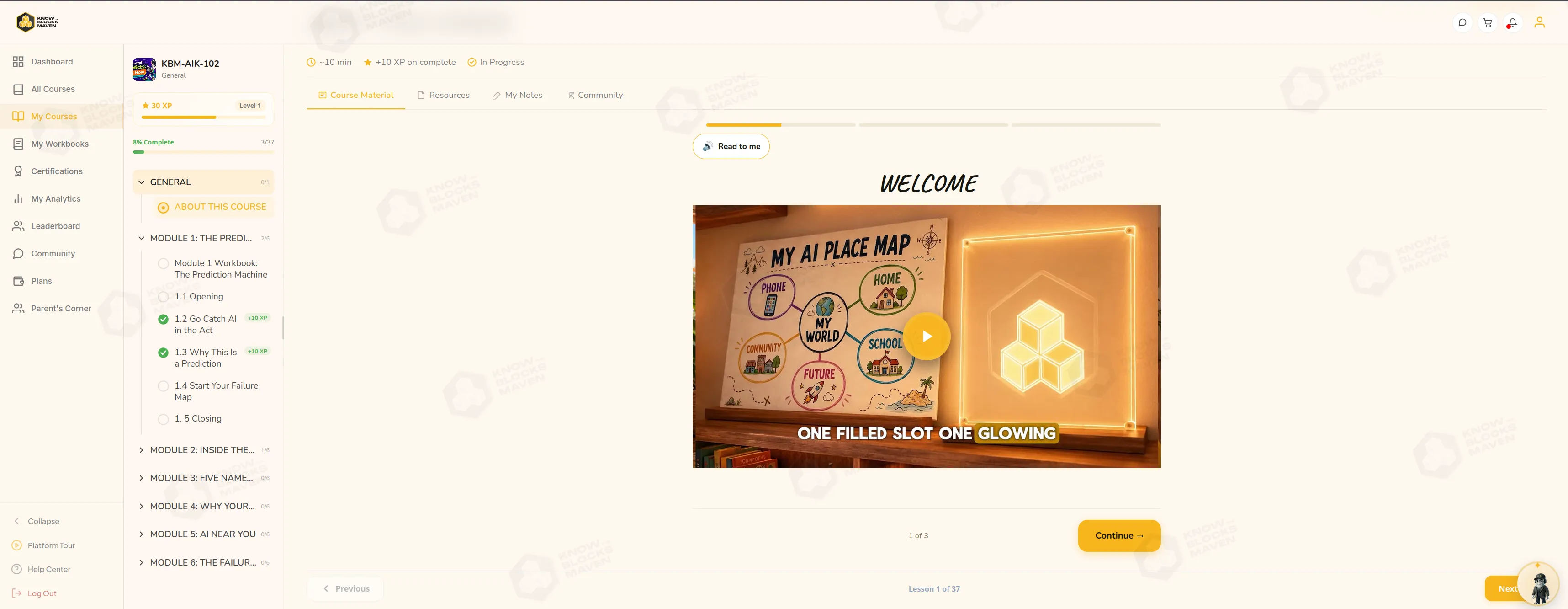 Open full-size screenshot in a new tab
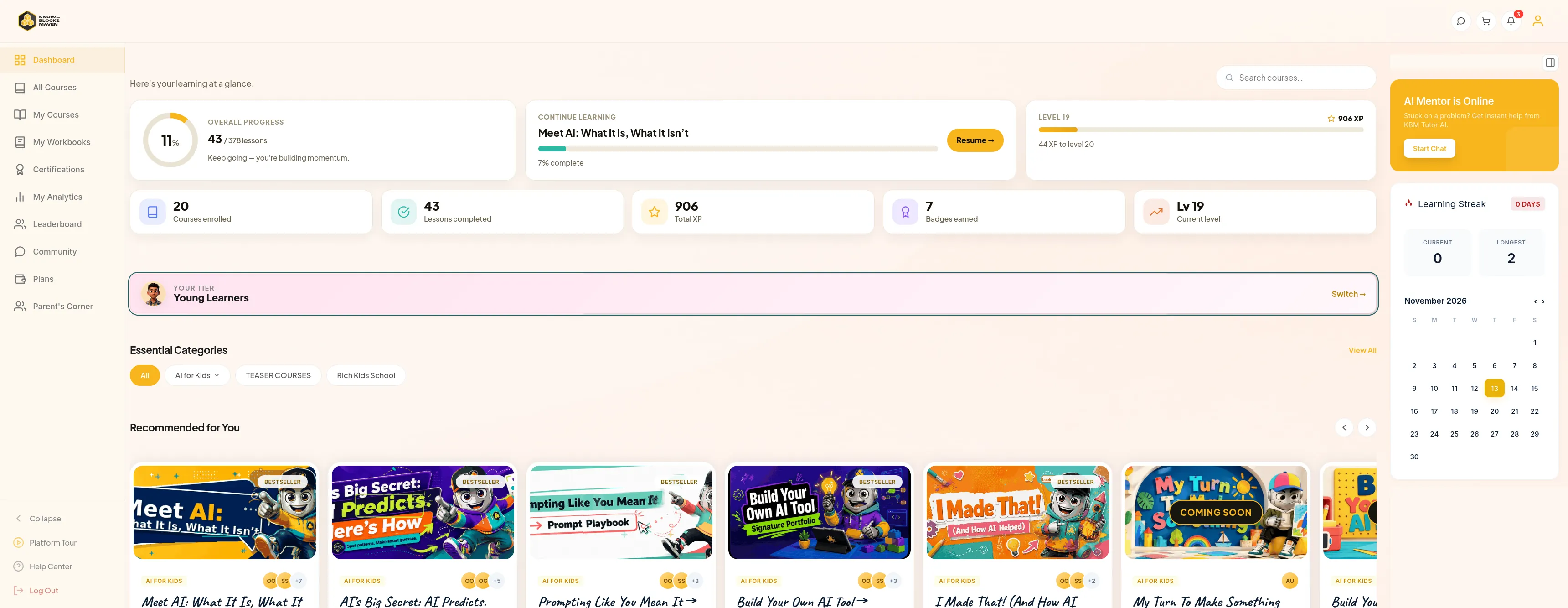 Open full-size screenshot in a new tab
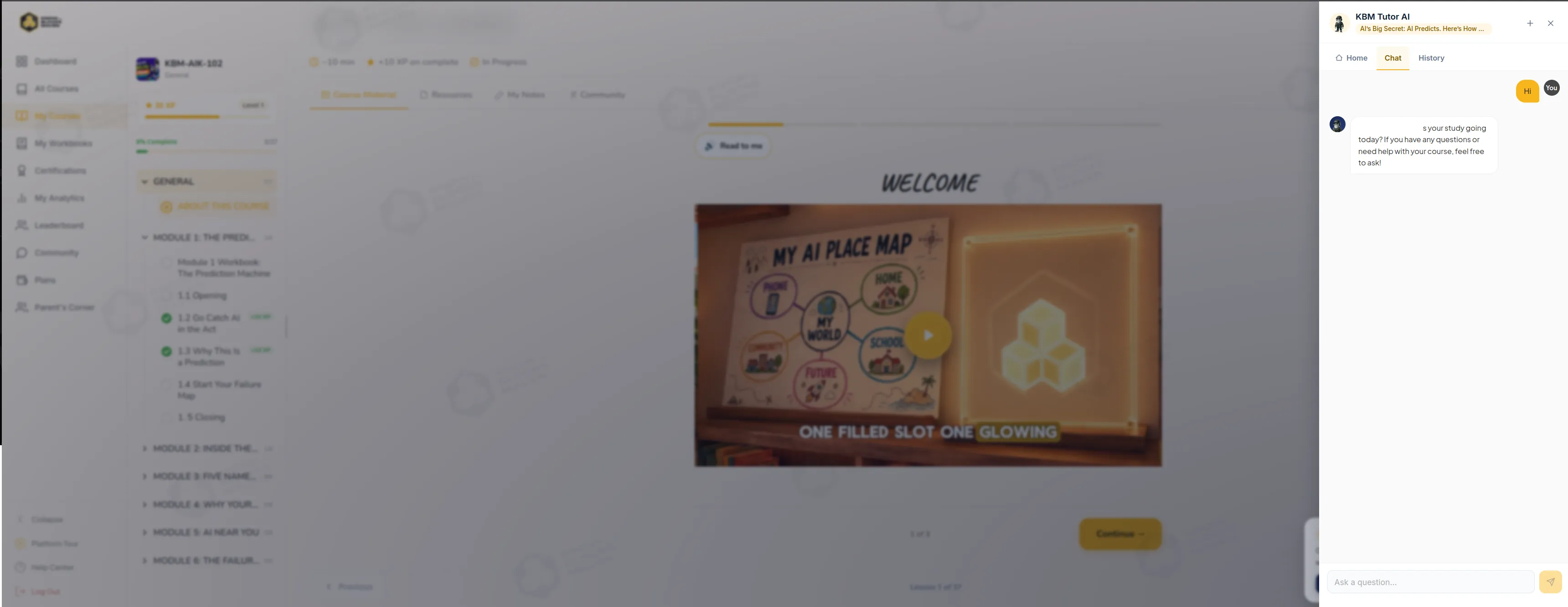 Open full-size screenshot in a new tab
Results and testing
One shared workflow, two configurations
The repositories contain separately configured Moodle installations, a shared course catalogue and theme foundation, and provider-specific checkout code. I can trace a course purchase from the catalogue through payment verification to enrolment in each codebase.
61 pricing checks
The pricing check passed 61 assertions using default settings in an offline PHP harness. It covered NGN and USD totals, bundle thresholds, and how a membership discount combines with a bundle price.
AI and authoring verification
An offline DOCX preview counted one section, one subheading, and two pages. A separate offline check verified that the OpenAI adapter sends tool results back with the matching call IDs. Tutor answer quality and learning outcomes still need measured evaluation.
KBM Checkout and Enrolment
I built a checkout that starts on the course page and ends in Moodle enrolment. The browser handles the learner’s choices, while Moodle owns account verification, pricing, payment state, and course access.
Build account verification into checkout
I built an in-page checkout panel backed by a Moodle endpoint. Returning learners sign in, while new learners verify their email with an expiring code and record consent before paying. I added attempt limits to the verification and sign-in paths.
Save the price before the learner pays
I reused the server pricing rules across the basket and checkout. Order creation filters out ineligible courses and saves the currency, total, and course line items before starting payment. For a limited offer, I added expiring reservations and used a Moodle lock to check availability before holding a place.
Reconcile Paystack with Moodle access
I connected the browser return and signed Paystack webhook to one settlement path. It verifies the saved reference with Paystack and checks the currency and expected amount before handing the order to Moodle. Each course item records its enrolment result. I added payment history and moved PDF receipts to a background task after the enrolment step.
Platform Leadership
The two installations shared Moodle components and operational patterns. I had to keep brand and payment configuration specific to each installation while making routine maintenance repeatable.
Adapt the workflow for Wamido
I added Flutterwave and NGN/USD checkout, then worked on the course catalogue and live-event experience. The server re-verifies the payment and checks the expected currency and amount before using Moodle’s enrolment API.
Make deployment and maintenance repeatable
I maintained KBM health checks for the web server, PHP workers, database, Redis, and Moodle cron, alongside scripts for database and file backups. For Wamido, I updated the deployment scripts for PHP 8.3, Redis, and Moodle cron, including restarting the correct PHP worker service after a release.
Applied AI/ML Engineering at KBM
Learners needed help with the course they were taking. Course authors needed to bring existing Word material into Moodle. I built the tutor around live Moodle context and gave authors a separate workflow for importing course content.
Check access before assembling course context
I added Moodle permission checks on the requested course and activity, then rebuilt the tutor’s context on each turn. The prompt uses course information and learner progress so it can respond to the lesson the learner is working through.
Give the tutor a bounded set of tools
I built a loop that makes up to three provider calls. The model can ask Moodle for catalogue entries or learner progress. The OpenAI adapter passes the tool results back to the model, and recommendation cards use the same Moodle records.
Let learners inspect and delete memory
I built a learner-specific memory store for details such as study goals and preferences, and a screen for reviewing or deleting those entries. The tutor can carry those details into later conversations.
Turn Word structure into Moodle activities
I built Doc-to-Course as a deterministic OOXML parser and importer so the same Word document produces a repeatable course structure. Headings define sections, subheadings, and page activities. The parser preserves common lists, tables, and page images, and the importer writes the structure and media into Moodle.
Technologies
- Moodle
- PHP
- JavaScript
- OpenAI
- Paystack
- Flutterwave
- Redis
- Nginx
- Bash